The Best Publishing Platform for Kids Isn’t an App Store
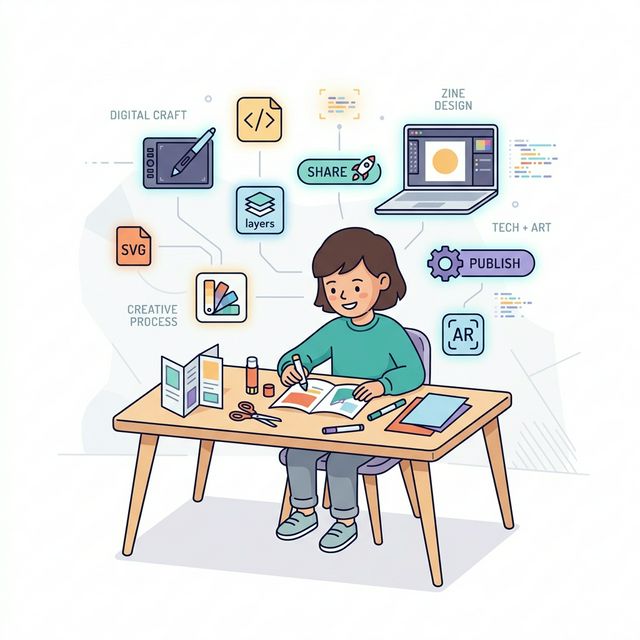
The most powerful creative tool for a child isn’t a subscription to a digital art suite. It’s a single sheet of paper, folded into eight pages, waiting to be filled with their ideas. This is a zine. It’s publishing stripped down to its purest form: a creator, a message, and an audience they can hand it to. In a world of endless digital consumption, the act of making something physical and sharable is a radical act of creative confidence. The process of making a zine teaches kids they are creators, not just consumers, and gives them a tangible artifact of their own imagination.
We build local-first apps at Stillware, and we’ve spent a lot of time studying how kids interact with creative software. The pattern is consistent: the more features a tool has, the less a child actually creates. The apps with infinite brushes, layer panels, and font menus produce the most abandoned projects. A folded sheet of paper with eight pages? That produces finished work. Every time.
This guide is your complete resource on how to make a zine for kids. It’s not about buying special supplies. It’s about unlocking a simple, timeless format that turns any kid into an author, artist, and publisher in an afternoon.

Why Zines Beat Digital-Only Projects for Learning
Before we fold the paper, let’s understand why this analog format delivers educational punch that flashy apps often miss. Digital tools promise infinite possibilities, but for a young creator, that infinity can be paralyzing. A zine provides a perfect creative constraint: eight small pages. This limitation focuses energy, making the project feel achievable from start to finish.
The learning outcomes are multifaceted and deeply practical:
- Narrative Sequencing: They must plan a beginning, middle, and end across the pages.
- Visual Literacy: Combining text and images on a small scale teaches basic layout and design.
- Fine Motor Skills: Folding, drawing, writing, and cutting (if they collage).
- Audience Awareness: They create with the knowledge that a real person will hold and read this.
- Project Completion: They experience the full arc of an idea—from concept to physical object.
Unlike a digital file lost in a cloud folder, a zine is a physical trophy of completed work that builds genuine pride. It works without Wi-Fi, never needs a battery charge, and its sharing mechanism—handing it to someone—requires no passwords or parental approval for social media.
How to Make a Zine for Kids: The 6-Step Single-Sheet Template
All you need is standard 8.5” x 11” printer paper. That’s it. No staples, no tape. The magic is in the fold. Follow these steps to create your blank 8-page booklet.
- Lay it Flat: Place your paper in front of you in portrait orientation (tall rather than wide).
- Fold it Hotdog: Fold the paper in half lengthwise. Crease sharply. Unfold it. You now have a long vertical crease down the center.
- Fold it Hamburger: Now, fold the paper in half widthwise (top to bottom). Crease sharply. Unfold. You now have a cross of two creases.
- The Critical Fold: With the paper in portrait orientation, fold it in half widthwise again (top to bottom). Keep it folded this time. You should have a tall, narrow rectangle.
- Open and Squash: Open the paper back to the full sheet. Now, with the lengthwise (hotdog) crease vertical, push the left and right edges of the paper toward the center. The center crease will pop up, and the paper will collapse into a four-page “star” shape. Flatten it.
- Final Fold: You now have a narrow, eight-panel accordion. Fold this stack in half to create your eight-page booklet. Crease the spine firmly.
“A zine is the ultimate low-floor, high-ceiling project. The floor is so low—anyone can fold the paper. The ceiling is limitless—it can hold poetry, comics, field guides, or manifestos.” — A veteran art teacher.
It looks more complicated in text than it is in practice. The key is the collapse in step five. Once you do it once, it becomes second nature.

6 Kid-Tested Zine Topics That Actually Work
The blank page can be daunting. The secret is to pick a topic that the creator is already an expert on. They don’t need to research; they just need to share what they already know and love. Here are kid-tested, high-success zine themes:
- The Ultimate Guide To… (Their bedroom, their pet, the perfect peanut butter sandwich, beating Level 4 of their favorite game).
- A Comic Adventure: A simple 8-panel story about a superhero, a lost sock, or a talking potato.
- The Fact Finder: A mini-magazine about dinosaurs, space rocks, deep-sea creatures, or their favorite athlete.
- The How-To Manual: How to make a friendship bracelet, draw a dragon, build the best pillow fort.
- The Collection: A catalog of their coolest rocks, pressed leaves, or Pokémon cards (with drawings and stats).
- The Argument: A persuasive zine on why bedtime should be later, why broccoli is underrated, or why their family needs a dog.
The best topics are hyper-specific and draw directly from the child’s lived experience, making the creative process an act of curation rather than invention. Encourage them to make a quick plan by numbering a scrap of paper 1 through 8 and jotting one word or drawing a tiny sketch for what will go on each page.

The Problem with Digital-Only Design (And a Bridge to Paper)
Many parents and kids instinctively reach for a tablet to “design” something. The promise is sleekness and ease. The reality for a child often looks like this:
The Problem: You want to make a cool magazine. You open a powerful desktop publishing app or a complex drawing program on a tablet. The Attempt: The child is immediately faced with toolbars, layer panels, font menus, and a vast, blank canvas. They tap a few brushes, type a word, and get frustrated when it doesn’t look “professional.” The Failure: The focus shifts from storytelling to software troubleshooting. The infinite undo button kills commitment. The project becomes about mastering the tool, not expressing the idea. It often ends with a half-finished digital file that never gets printed or shared. The Real Solution: Start analog. Use pencil and paper. The friction is creative, not technical. Mistakes are part of the artifact. Once the story is laid out in rough form, then technology can enter as a powerful assistant for polishing and replication.
This is where a tool designed for the job, not adapted from a professional suite, changes the game. Imagine a simple app that provides a digital version of the 8-page zine template. The child can drag and drop text boxes, place photos from their tablet’s camera, and add digital “stickers” or drawings. The app’s sole job is to take the messy, wonderful analog creation and format it into a perfect, printable PDF that respects the child’s layout. It’s a bridge from the physical brainstorm to the physical, shareable copy.
5 Layout Tips for Maximum Impact
With eight small pages, every element counts. Teach these basic principles to help their zine look and read beautifully.
- Cover is King: Page 1 is the cover. It needs a bold title and an eye-catching drawing. This is what makes someone pick it up.
- Start Strong: Use page 2 for a big introduction, a table of contents, or to jump right into the action.
- Mix It Up: Avoid two text-heavy pages in a row. Follow a page of writing with a full-page picture, a comic panel, or a diagram.
- Embrace White Space: Don’t cram every corner. Let the page breathe. It makes the content easier to read and more elegant.
- The Back Page: Page 8 is the back cover. This is a great spot for an “About the Author” bio, a fun fact, or a call to action (“Leave a review for this zine on the fridge!”).
A simple layout plan might look like this:
| Page | Content |
|---|---|
| 1 | COVER: “The Ultimate Guide to My Dog, Sparky” + big drawing |
| 2 | Introduction: Why Sparky is the best dog. |
| 3 | Full-page portrait of Sparky. |
| 4 | Sparky’s Stats (Age, Weight, Favorite Toy). |
| 5 | A comic of Sparky’s funniest habit. |
| 6 | How to befriend Sparky (Do’s and Don’ts). |
| 7 | A maze or word search with “Sparky” themes. |
| 8 | BACK COVER: About the Author & a QR code to a video of Sparky. |
From Master Copy to Publishing Empire
Here’s the truly magical part: once the master zine is created, they become a publisher. That single original can be replicated. The replication process itself is a powerful lesson.
- Photocopier Method: Take the unfolded master to a library or home printer/copier. Make copies on standard paper, then fold each one. Instant print run!
- Trace & Share: Use the master as a tracing template to create hand-made editions for special friends.
- The Digital Bridge: If using a layout app, the exported PDF can be printed at home, at a library, or even sent to a grandparent across the country to print locally. The creator controls the distribution.
- Establish Distribution: Create a “zine library” in a classroom. Trade zines with friends. Leave one in a neighborhood little free library.
This step transforms the project from a one-off art activity into a lesson in production and sharing. They learn that publishing isn’t a mystical industry act, but the simple process of making copies of your work and getting it into readers’ hands. For more on fostering creative confidence in kids, check out our guide on analog creativity projects.

When we evaluated kids’ creative apps for our own design research, we noticed something telling. The top-rated apps—Canva, Book Creator, Pages—all require accounts, cloud storage, and often subscriptions. A 9-year-old making a comic about their dog shouldn’t need a Google login and parental consent for cloud terms of service. We chose to design creative tools that export straight to PDF on the device. No account, no upload, no middleman between the kid and their finished work.
Give It a Try This Weekend
The barrier to entry is a sheet of paper. The potential outcome is a newfound identity as a creator. This weekend, skip the complex craft kits and the aimless screen time. Sit down with a kid, fold that paper, and ask them what they want the world to know about. The process—the folding, the planning, the drawing, the sharing—is where the real magic happens. It’s creative confidence, built page by page. If you’re looking for the perfect first project, our list of simple creative activities has great starter ideas.
Our philosophy at Stillware is that the best kids’ software gets out of the way. It doesn’t gamify creativity with stars and streaks. It doesn’t harvest a child’s drawings for cloud analytics. It just helps them make something real they can hold in their hands and show someone they care about. That’s the bar we set for every tool we build.
Ready to bridge the gap between messy, wonderful ideas and a clean, printable zine? Give it a try this weekend. All you need is paper, a pencil, and a story waiting to be told.