Best Offline Medication Trackers for Seniors in 2025 (Tested)
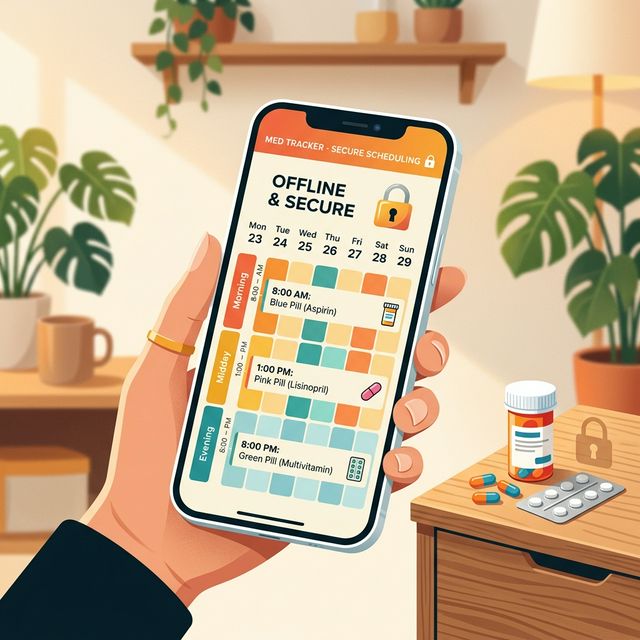
Picture this: you’re sitting in a sterile exam room, the crinkly paper beneath you the only sound. The doctor asks for your current medication list. You fumble with your phone, tapping the familiar app icon. A spinning wheel appears. Then an error: “Cannot connect. Please check your internet connection.” The clinic’s Wi-Fi is for staff only, and your cellular signal is dead behind three layers of concrete and lead-lined walls. Your meticulously kept digital record is now a useless icon on a screen. This exact moment of technological failure is where most health apps betray their users. That’s why finding a reliable medication tracker for seniors offline isn’t just convenient—it’s critical for safety and independence.
For seniors managing multiple prescriptions, this isn’t a minor inconvenience—it’s a critical flaw. The modern medication tracker is built for a world of perfect, always-on connectivity, a world that doesn’t exist in hospitals, on road trips, or during power outages. We’re going to dissect why that is and compare the apps that understand this reality against those that don’t.

What Makes a Senior-Friendly Offline Medication Tracker?
Before we compare specific apps, we need to establish the criteria. A tool for managing something as vital as medication must be judged by more than just a pretty interface. It needs to function as reliably as a paper notepad, with the added intelligence of a digital system.
The core features aren’t just about reminders; they’re about creating an indisputable, portable record of your health. Here’s what to look for in an offline medication tracker:
- Absolute Offline Functionality: Every core feature—logging a dose, viewing your schedule, checking interactions—must work without a data signal. The app should be a self-contained system on your device.
- High-Contrast, Large-Text Design: This is non-negotiable. Small, low-contrast gray text on a white background is a design failure for this demographic. Interfaces must be clear, with bold buttons and legible fonts.
- Data Privacy & Local Storage: Where does your medication history live? If it’s on a company server, it’s a privacy risk. Health information should stay on your device.
- Practical PDF Outputs: The ability to generate a simple, readable PDF or printout is more valuable than any cloud sync. You need to hand a physical copy to a new specialist or caregiver.
- Simple, Predictable Cost: Subscription fatigue is real. A one-time purchase respects that this is a permanent part of someone’s life, not a streaming service.
The Hidden Cost of Subscription Medication Apps
After researching dozens of health apps, one pattern stands out: the relentless push toward subscriptions. It’s not just about revenue; it fundamentally changes the relationship between you, your data, and the company you’re trusting.
Think about it. A company whose survival depends on you paying monthly has two primary goals: keep you subscribed and increase the value of your data. Your adherence to your medication schedule becomes their key metric. This creates an incentive where your private health behaviors are the product being optimized, not just your well-being.
The “freemium” trap is especially prevalent. A free app gets you to input your entire medication regimen. Then, to get a crucial feature like PDF export, you must subscribe. You’re now locked in. Your data is on their servers, and migrating it is often impossible. The stakes with health data are infinitely higher.
“A subscription for a medication tracker is a monthly reminder that your access to your own health history is rented, not owned.”
Let’s break down the real cost. A typical “premium” health app subscription runs $5-$10 per month. That’s $60-$120 per year. Over five years, you’ve paid $300-$600 for the privilege of accessing your own information. For that same amount, you could buy a dedicated tablet to run a truly private, offline app forever.
Comparison: Cloud-Dependent vs. Local-First Medication Trackers
Now, let’s apply our criteria to the landscape. We’ll compare popular cloud-based apps against the philosophy of a local-first approach. Remember, we’re judging architecture and incentives, not just features.
| Feature | Cloud-Dependent Model (e.g., Medisafe) | Local-First Philosophy |
|---|---|---|
| Core Philosophy | User health data as a service for recurring revenue | User health data as a private, personal record |
| Data Location | Company cloud servers | Encrypted storage on your device only |
| Internet Required | Yes, for core functions like syncing | No. Full functionality works anywhere |
| Privacy Model | Data collected and potentially used for research | Zero-knowledge. Developers cannot see your data. |
| Cost Model | Monthly or annual subscription | One-time purchase |
| PDF Export | Often a premium feature | Core, offline feature |
Medisafe (The Cloud Model) Medisafe is often the top result. It’s feature-rich, with good reminder systems. However, its strengths reveal its nature.
- The Good: Strong reminder customization, medication interaction warnings, refill alerts.
- The Catch: Almost all intelligence requires an internet connection. Your schedule is stored on Medisafe’s servers. The premium subscription ($5.99/month) removes ads.
- The Offline Test: Try opening it in airplane mode. You’ll likely be met with a request to connect to add a new medication.
Pill Reminder by MedHelper (Simpler Cloud-App) This app takes a more straightforward approach.
- The Good: Very simple interface, easy log entry.
- The Catch: Data export is clunky. It’s designed with cloud backup in mind and follows the free-with-premium-upgrade playbook.
- The Offline Test: It may perform better offline than Medisafe for basic logging, but its long-term viability is tied to the developer’s servers.
The Local-First Standard This is the design principle you should seek. Health tools should work offline by default.
- The Good: All data is stored encrypted on your device. Interaction checks use a local database. The interface is built for high contrast. One-tap PDF generation is a core feature.
- The Catch: No automatic cross-device sync via the developer. You use your own cloud drive for backup.
- The Offline Test: It passes perfectly. It’s designed for the exam room, the cabin, the power outage.

5 Critical Reasons Your Tracker Must Generate a PDF
This single feature is the ultimate litmus test for an app’s practicality. If the developer hasn’t prioritized this, they’re building for the cloud, not for you.
- The Doctor’s Visit: Handing over a physical piece of paper is faster and more reliable than any app demo. It doesn’t require the doctor to download anything or squint at your phone.
- The Emergency Scenario: In an ambulance or ER, first responders need information instantly. A printed list in your wallet provides critical data immediately.
- The Caregiver Handoff: You can give a family member a printout without giving them access to your phone or an app account.
- The Travel Backup: Keep a copy in your suitcase. If you lose your phone abroad, you still have a complete record.
- The Permanent Record: PDFs are archival. App formats change and companies go bankrupt. A PDF saved to your computer is a permanent snapshot of your health history.
The ability to create a standalone document from your data is the ultimate expression of ownership. It transforms the app from a service you use into a tool you wield.
Why High-Contrast Design is a Safety Feature
Most health apps treat high-contrast mode as a checkbox in the settings menu. For a senior with vision changes, it’s the main event. But there’s a deeper reason this matters.
Low-contrast, “soft” UI design is often a stylistic choice made by young designers. It looks modern. But in practical use, under harsh lights or in a dim bedroom, it becomes illegible. Good design for this context isn’t just aesthetic; it’s a safety feature that prevents dosage errors.
A proper senior-first interface inverts the standard paradigm:
- Background: Jet black or pure white.
- Text: Starkly opposite the background. Large, bold fonts.
- Buttons: High-contrast colors with clear borders.
- Icons: Literal and familiar, like a pill or calendar icon.
This design philosophy acknowledges the real-world environment. It accepts that lighting will be poor and urgency might be high. The app must be as readable as a well-designed road sign.

The True 5-Year Cost: Subscription vs. Ownership
Let’s move from philosophy to hard numbers. The financial model of a health app is a direct signal of its priorities. A subscription is a recurring tax on your health. A one-time fee is an investment in a tool.
The chart above is conservative. It assumes subscription prices won’t increase (they will). The local-first, one-time purchase model isn’t just cheaper; it’s predictable. You pay once, and the tool is yours. Even if the developer stops updating it years from now, the app on your device will continue to function as your private, offline log. Your data isn’t held hostage by a recurring payment.
This is about dignity. Managing health is stressful enough without adding a monthly invoice for the privilege of remembering your own pills. The subscription model monetizes your anxiety. The ownership model solves a problem and then gets out of the way.
Your Health Data Shouldn’t Be a Startup’s Asset
Most health apps share a troubling assumption: that your sensitive data is acceptable collateral for their business model. Your medication history sits on their servers, a valuable asset. In the event of a shutdown, your data is often an afterthought.
This is an unacceptable risk for critical information. A local-first app flips the script. The primary copy of your data is on the device you physically control. If the app disappears from the app store, nothing changes on your phone. You still have your log. You still have your PDFs. The company’s business fortunes become completely irrelevant to your personal health management.
This architecture reflects a profound respect: your health is your business. The developer’s job is to create a robust, private tool for you to use.

How to Build Your Own Offline Medication System
Choosing an app is just the first step. The goal is to build a reliable, private system for managing your health. Here’s how to implement a local-first approach:
- Choose the Right Tool: Select an app that meets the offline, high-contrast, and PDF export criteria. The cost should be one-time.
- Perform the Airplane Mode Test: Before you input a single medication, enable airplane mode. Try to add a pill, view a list, and find the export function. If anything essential fails, the app isn’t built for reality.
- Establish Your Backup Ritual: If the app allows backup to your own cloud drive, set it up. Schedule a monthly reminder to perform a manual backup and generate a fresh PDF.
- Create the Physical Copy: Print two copies of your medication list. Laminate one for your wallet. Place another on your refrigerator for first responders.
- Own Your Process: Remember, you are in charge. The app is a tool. Your ritual of logging, backing up, and updating your printout is the real system.
This process takes the power from the cloud and places it firmly in your hands. It turns a potential point of failure—the doctor’s office with no Wi-Fi—into a point of confidence.
The best medication tracker is the one that treats your data with the same gravity you do—as a private, essential record. It works where you need it, presents information you can actually see, and gives you a tangible record of your care. In a digital world obsessed with connectivity, the most empowering feature for managing your health might just be a reliable, offline “off” switch.
Ready to explore tools that put your privacy and practicality first? Learn more about the philosophy behind building local-first software and why moving away from subscriptions is about more than just saving money. For managing medications offline, the right app makes all the difference—give one a try today and see how much simpler and more secure your health management can be. If you’re interested in other tools that prioritize ownership, check out our guide to privacy-first budgeting apps.